How to buy a package in Meser10
Email plans, SMS packages and extra services are bought from inside your account, in three screens. The package is added the moment the payment is approved.
Sign in to your account at app.mesereser.com and follow the steps below.
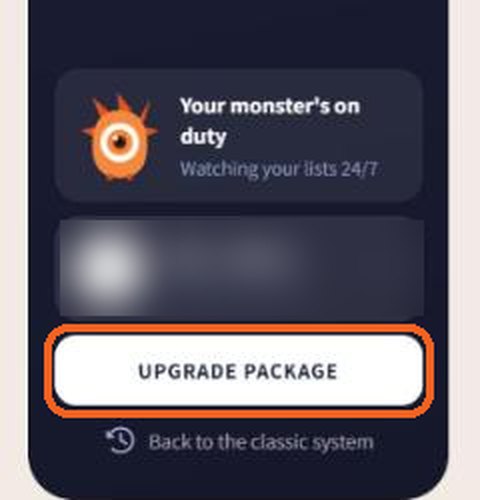
1. Click Upgrade Package
At the bottom of the side menu, under your account details, click Upgrade Package. It is available from every screen.
2. Choose your package
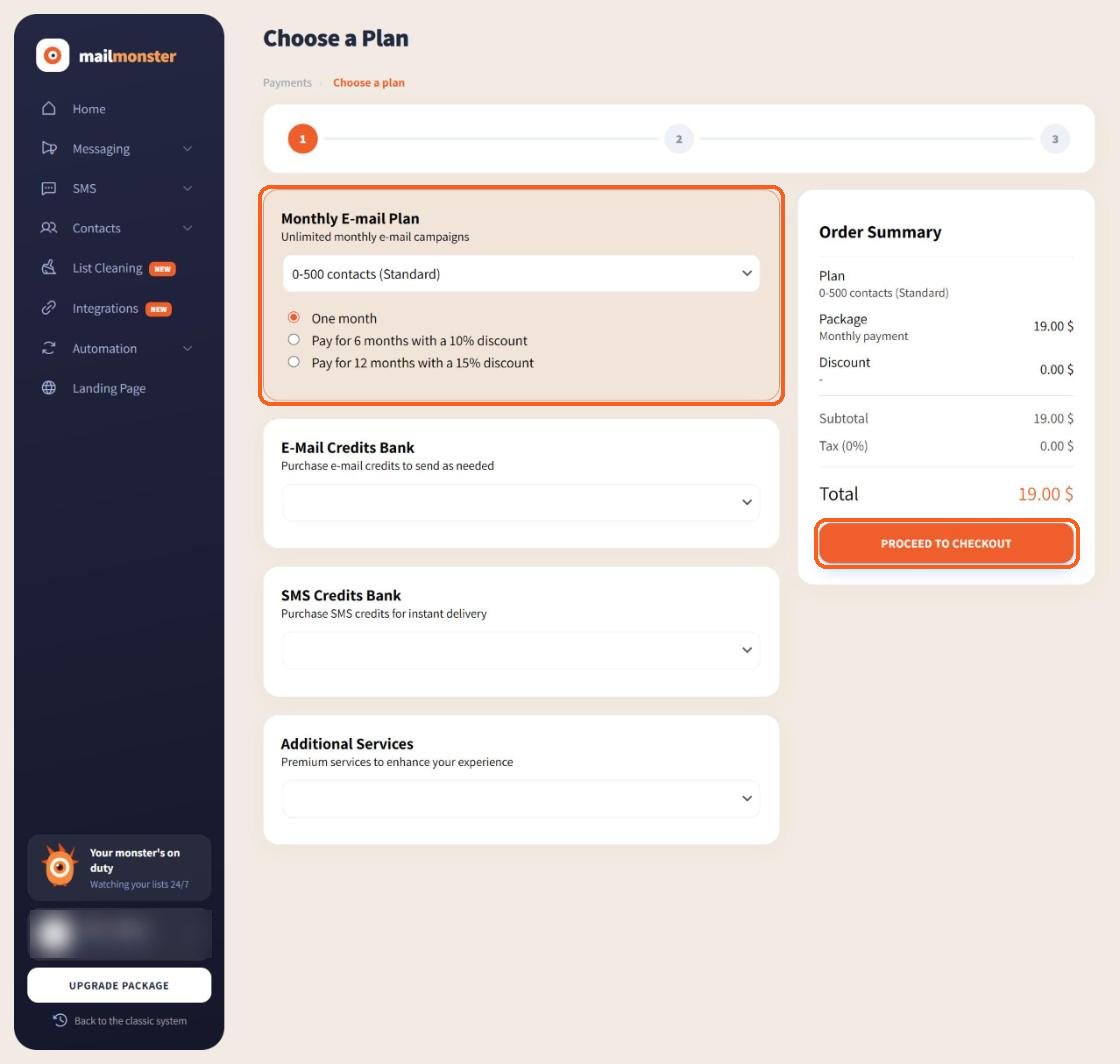
The plan screen has four sections. Pick from the drop-down list in the one you need:
- Monthly E-mail Plan: a subscription by number of contacts. Pay for one month, or for 6 or 12 months ahead at a discount.
- E-Mail Credits Bank: buy a number of sends once and use them with no time limit and no monthly charge.
- SMS Credits Bank: an SMS package. Every message sent comes off the balance, including messages sent through the API.
- Additional Services: campaign building, list cleaning, a virtual number for receiving SMS, a reply-to address and more.
The order summary updates straight away with the package price, any discount and the total. When it looks right, click Proceed to Checkout.
3. Check the invoice details
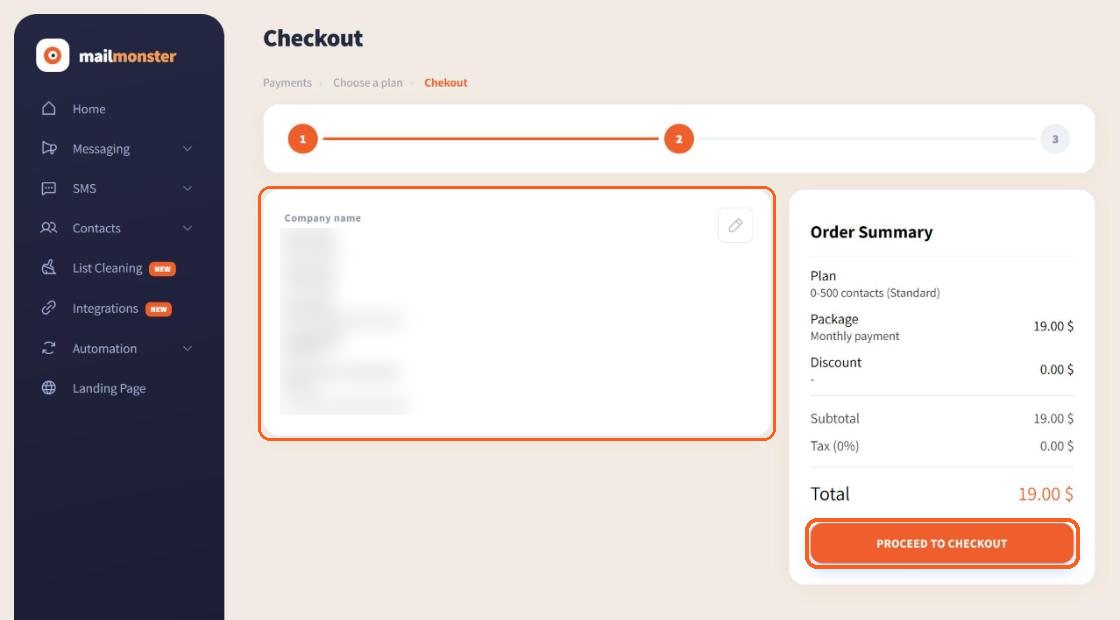
The next screen shows what will appear on the invoice: company name, name, company or ID number, address, phone and the email the invoice is sent to. Click the pencil icon to change anything, then click Proceed to Checkout again.
4. Pay by card
A secure payment window opens for your card details. We do not accept Diners cards. SMS packages have one extra step: your bank sends a verification code by text message or in its app, and you type it into the payment window. This check comes from your card issuer, not from Meser10.
As soon as the payment is approved the package is in your account, and the invoice is emailed to the address from the previous step.
Not sure which package fits? See the pricing page or talk to us. This guide is also available in Hebrew.
Questions
Why does the bank ask for a code when I buy SMS?
SMS packages are paid with an extra secure check by your card issuer. The bank sends the code by text message or in its app, and you type it into the payment window.
The bank code did not arrive. What now?
Check that the phone number registered with your bank is reachable and try again. If it still does not arrive, call us on +972-3-7440020 or message us on WhatsApp at +972-53-458-4334 and we will complete the purchase with you.
When is the package added to my account?
As soon as the payment is approved. There is no need to contact us to activate it.
I bought an email package but cannot send SMS.
An email package covers email only. To send SMS, buy a package in the SMS Credits Bank section.