How to resume a stopped campaign
A stopped campaign is not lost. It is saved as a draft and you can continue it to the remaining recipients in a few clicks, without sending it twice to anyone.
Screens are shown in the Hebrew interface. The English interface (app.mesereser.com) has the same layout and the same menu order.
What happens when you stop a campaign
When you click stop, sending halts and the campaign moves to Draft status. Recipients who already got the email are recorded in the report; everyone else is waiting. You can stop to fix content, replace a link, or because sending started too early.
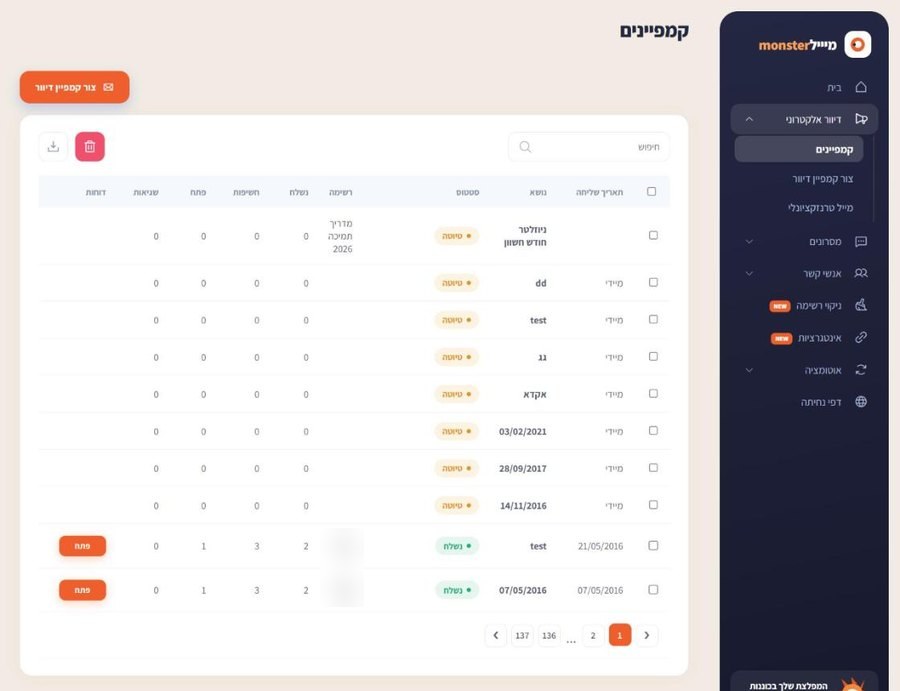
Resume in three steps
- Open the campaign from the campaign list (Email, Campaigns). If you want to change the content, do it now.
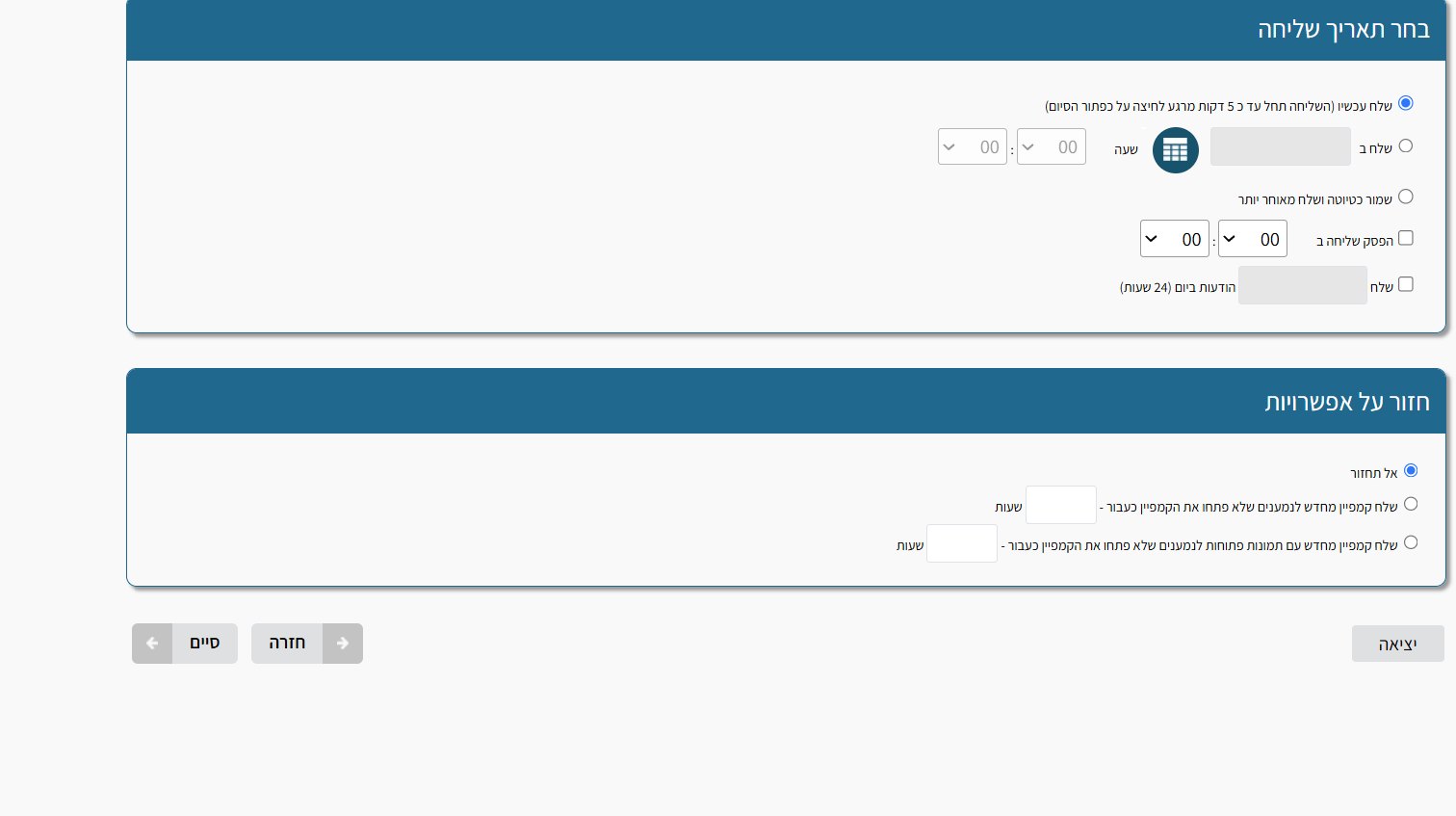
- Click Back until you reach the last screen, Choose send date.
- Select Send now and click Finish. Sending continues from where it stopped.
Schedule the rest instead
On the same screen you can choose Send at and set a date and time, or use Pause sending at so sending stops on its own at a set time (for example before Shabbat) and continues later.
Frequently asked questions
Still need help?
Email support@meser10.co.il or WhatsApp +972 53-458-4334, Sunday to Thursday, 9:00 to 17:00 Israel time. Include your account number. All support guides